 GRAVITYHOP
SUPPORT
GravityHop is made by one person.
Questions, bug reports, and ideas can go to support@gravityhop.app. For a bug, include your device, its iOS version, and what happened.
PLAYING
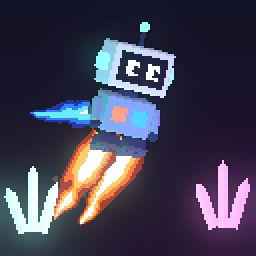
HOW DO I CONTROL HOP-7?
Hold the left side of the screen to burn the thrusters, and tap the right side to flip gravity. On iPhone Duo folded like a laptop, the lower screen has THRUST and FLIP keys.
WHAT HAPPENS WHEN I CRASH?
The colony rebuilds HOP-7 from local stock, and the log tells you what got him. Crystals earn more rebuilds. When the stock runs out, the run ends, but every transmission you've heard stays heard.
WHAT IS FLOW MODE?
An endless, scoreless way to play for its own sake: rooms from every depth you can reach, a new song every few rooms, and unlimited rebuilds. No score, no story, no game over.
WHERE IS THE STORY?
Transmissions arrive as you go deeper and when you decode signal shards. Open LOG on the title screen to read everything you've heard so far.
PURCHASES
WHAT IS FREE?
Depth 1 is free to play as often as you like. The rest of the descent is a one-time purchase, either all at once or one depth at a time. There are no ads, subscriptions, or timers.
HOW DO I RESTORE MY PURCHASES?
Make sure you're signed in to the App Store with the Apple Account you bought with. Then open UNLOCK on the title screen and choose RESTORE PURCHASES.
DOES FAMILY SHARING WORK?
Yes. If Family Sharing is on and you share purchases, everyone in your family group gets what you've unlocked. They can restore it the same way.
IT SAYS "WAITING FOR APPROVAL".
Ask to Buy is on for this account. The purchase completes once the family organizer approves it.
HOW DO I GET A REFUND?
Apple handles all payments and refunds. Request one at reportaproblem.apple.com.
PROGRESS
WILL MY PROGRESS MOVE TO A NEW DEVICE?
Progress is saved on your device and comes along when you restore that device from an iCloud or computer backup. It doesn't sync between devices on its own. Your purchases always follow your Apple Account.
CAN I START OVER?
Deleting and reinstalling the game clears your progress. Then use RESTORE PURCHASES to unlock what you own again.
PRIVACY
The game collects no personal data. Read the privacy policy for the details.